
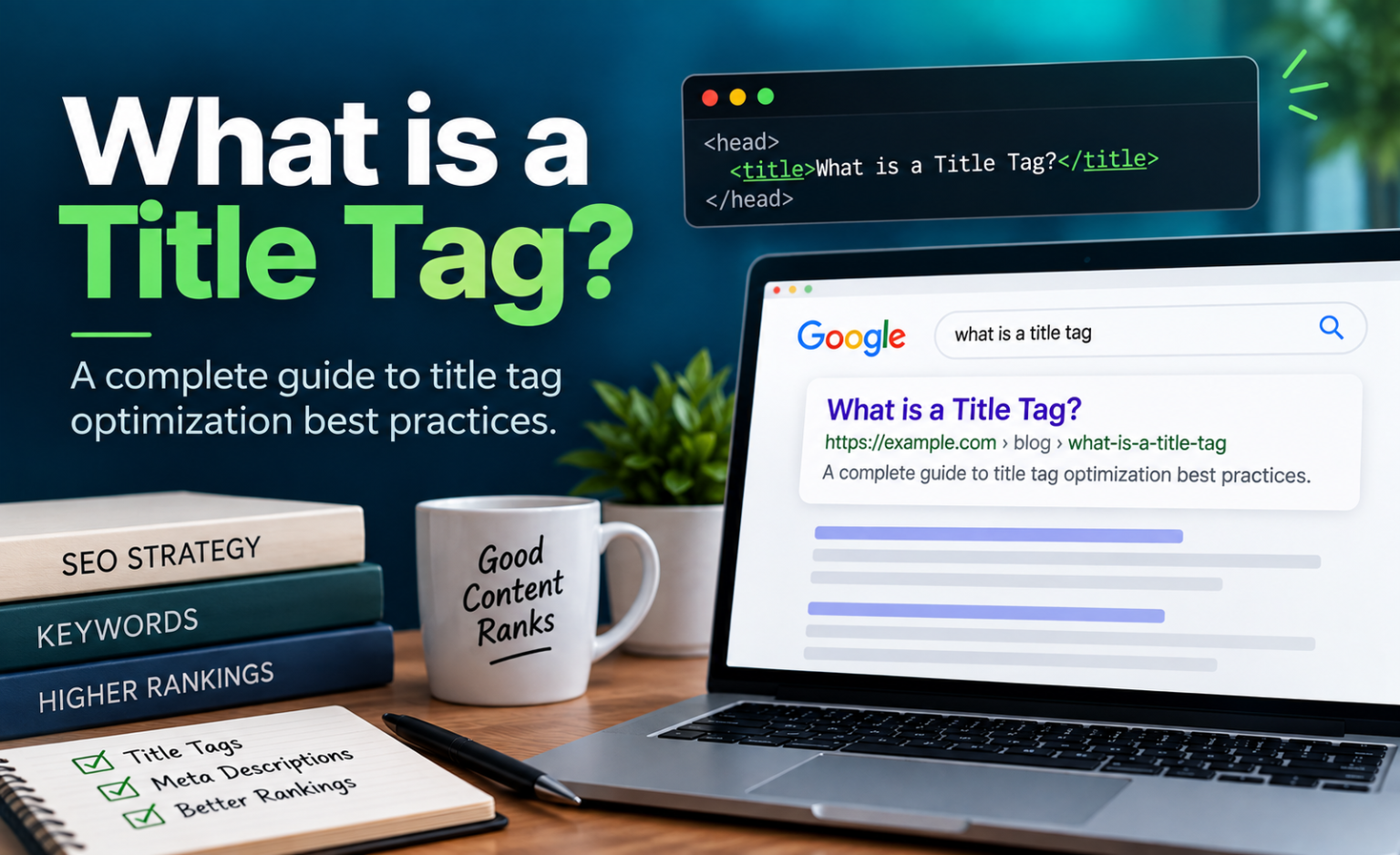
You can write the best page on the internet about your service. Nobody will ever read it if the one line representing it in Google search results is boring, truncated, or wrong.
That line is your title tag. It’s roughly 55 characters of text that has to do three jobs at once: tell Google what the page is about, tell a human whether it’s worth their click, and beat nine other results that are all shouting the same thing.
Here’s the part most guides skip: Google frequently overrules you. One analysis by Search Engine Land of the top 20 results across a large keyword set found Google changed 76% of title tags, keeping only about 35% of the original wording. So writing a good title isn’t just about persuasion — it’s about writing something Google won’t feel the need to fix.
This guide covers what a title tag actually is, the real length limits (they’re not what you’ve been told), where to put your keyword, how titles move click-through rate and rankings, how to test changes without fooling yourself, and which tools are worth paying for.
What a Title Tag Actually Is
A title tag is an HTML element in the <head> section of a page that defines that page’s title. It looks like this:
<title>Major Fluke | Grants Pass #1 SEO Agency</title>
</head>
It shows up in three places:
- Search results — as the big blue clickable headline (Google calls this the “title link”)
- Browser tabs — the text you see when 30 tabs are open
- Social and messaging previews — when someone shares your URL, unless an Open Graph tag overrides it
Title Tag vs. H1 vs. Meta Description
These get confused constantly, and they’re three different things.
| Element | Where it lives | Who sees it | Primary job |
| Title tag | <head> HTML | Searchers, browser tabs, social previews | Earn the click, define the topic |
| H1 | Visible on the page | Visitors on the page | Confirm they landed in the right place |
| Meta description | <head> HTML | Searchers (sometimes, unless re-written by search engine) | Support the title, add context |
The title tag and H1 don’t have to match word for word — and often shouldn’t. Your title needs to work in a crowded results page; your H1 works on a page they’ve already committed to. That said, a wild mismatch between the two is one of the signals associated with Google rewriting your title (Zyppy), so keep them thematically aligned.
Meta descriptions, for what it’s worth, are not a ranking factor and Google rewrites them even more aggressively than titles. Your title is doing the heavy lifting.
Here is how a meta description goes along side a title tag:
<title>Major Fluke | Grants Pass #1 SEO Agency</title>
<meta name=”description” content=”Major Fluke is your go-to SEO agency for data-driven strategies and results-oriented solutions. We’re here to help you achieve your online goals.“>
</head>
And finally, this is how the none visible head of the webpage closes out and the opening body tag begins, and everything you actually are able to see on the page begins:
<title>Major Fluke | Grants Pass #1 SEO Agency</title>
<meta name=”description” content=”Major Fluke is your go-to SEO agency for data-driven strategies and results-oriented solutions. We’re here to help you achieve your online goals.“>
</head><body>
<h1>Grants Pass #1 SEO Agency</h1>
<p>The right mix of digital marketing. Agency expertise, small-business pricing.</p>
</body>
The Character Limit Everyone Gets Wrong
You’ve heard “keep it under 60 characters.” That’s a useful rule of thumb built on top of a slightly different truth.
Google’s own documentation says there is no limit on how long a <title> element can be — title links are simply truncated as needed to fit the device width (Google Search Central). The actual constraint is pixels, not characters. As we’ve seen as an agency, Google typically renders about 600 pixels of title on desktop, and titles longer than that get cut with an ellipsis.
Pixels matter because letters aren’t the same width.
Let’s look at an example:
“Illinois Wilderness Trails” — 192 pixels, 26 characters
“MMM WWW OOO AAA” — 188 pixels, 15 characters
Both have similar tag widths, but wildly different character counts. A title packed with capital Ws and Ms will truncate earlier than one full of i’s and l’s.
The Length Sweet Spot, Backed by Data
Zyppy SEO’s analysis of 80,959 title tags found a clear relationship between length and how often Google intervenes:
| Title length | How often Google rewrote it |
| 1–5 characters | 96.6% |
| 20 characters or fewer | Over 50% |
| 51–60 characters | 39 to 42% (the lowest) |
| Over 60 characters | 76%+ |
| Over 70 characters | 99.9% |
Separately, an analysis of Google search results found titles in the 40–60 character range earned the highest click-through rate, outperforming titles outside that range by 8.9%.
So the practical target is 50–60 characters, and under 600 pixels. Not because Google hard-caps you there, but because that’s where you’re least likely to get truncated and least likely to get rewritten.
Where the Keyword Goes (and How Much It Matters)
Put your primary keyword near the front. This is one of the few pieces of title advice that’s held up for 20 years.
Two reasons:
- Relevance clarity. Google matches your title against the query. A keyword in position one is unambiguous.
- Human scanning. People don’t read search results — they scan the first two or three words and decide. If your keyword is buried at character 45, the searcher has already moved on.
The Anatomy of a Title That Works
Most strong titles follow one of a few patterns:
| Pattern | Structure | Example |
| Local service | Service + City + Brand | Roof Replacement in Medford, OR | Acme Roofing |
| Comparison | X vs. Y + qualifier | Yoast vs. Rank Math: Which SEO Plugin Wins? |
| How-to | How to + outcome | How to Fix a Leaking Water Heater in 20 Minutes |
| Definition | What Is X? + hook | What Is Technical SEO? A Plain-English Guide |
| Product / category | Category + differentiator + Brand | Cordless Impact Drivers — 3-Year Warranty | Toolco |
Things That Get Your Title Rewritten
Zyppy’s study identified specific patterns Google reacts to:
- Brackets [ ] — 77.6% of titles containing brackets were rewritten, and Google deleted the bracketed text entirely 32.9% of the time
- Parentheses ( ) — 61.9% rewritten, with the parenthetical removed 19.7% of the time (so if you must add an aside, parentheses are the safer choice)
- Repeating the same keyword twice in one title
- Identical boilerplate across dozens of pages
- Missing or redundant brand names
- Titles that don’t match the H1, including whether numbers appear in each
Google’s own documentation adds a few more triggers: half-empty titles like <title> Site Name</title>, obsolete titles (a page that still says “2024 pricing” when the content says 2026), inaccurate titles that oversell what’s on the page, and micro-boilerplate that fails to distinguish similar pages.
Should You Include Your Brand Name?
It depends on what the page is for.
- Homepage and service pages: Yes. Brand at the end, separated by a pipe or dash.
- Blog posts and informational content: Often no. You need every pixel for the actual topic, and Google frequently strips the brand anyway.
- You’re a known local name in your market: Yes, everywhere. The brand recognition is worth the characters.
How Title Tags Move Rankings and Clicks
Two separate mechanisms, and people conflate them.
1. The Ranking Effect Is Real but Modest
The title tag is one of the strongest single on-page relevance signals you control. It tells Google, in your own words, what the page is about. Get it wrong and a page can fail to rank for terms it deserves.
But it’s not magic. A well-written title on a thin page competing against genuinely better content won’t win. Titles are a multiplier on an otherwise sound page, not a substitute for one. That’s why they sit inside a broader set of SEO strategies rather than standing alone as a tactic.
2. The CTR Effect Is Where the Money Is
This is the underrated half. Two pages at the same position can have dramatically different traffic based on the title alone.
Position sets your ceiling.
Across 2026 benchmarks, position 1 averages 39.8% CTR, position 2 drops to 18.7%, position 3 to 10.2%, and position 10 to 1.6%. Your title determines where inside that range you land.
Some context on how much room there is to work with:
| Finding | Figure |
| Average CTR, position 1 | 39.8% |
| Average CTR gain from moving up one position | 32.3% |
| CTR advantage of 40–60 character titles | +8.9% |
| CTR advantage of positive sentiment in titles | +4.1% |
| Share of all clicks going to the top 3 organic results | 68.7% |
Source: First Page Sage
An 8.9% CTR lift on a page getting 2,000 impressions a month is real traffic you didn’t have to earn a single new link for. This is the cheapest optimization in SEO.
How to Test Title Tags Without Lying to Yourself
Here’s the uncomfortable truth: SEO does not happen in a vacuum. Between the day you change a title and the day you check the results, Google may have shipped a core update, a competitor may have launched a better page, your industry may have hit its seasonal peak, and an AI Overview may have appeared on the query.
If you change one title, see traffic go up 15%, and declare victory, you’ve learned nothing. You’ve just recorded a coincidence.
What “Testing” Actually Requires
Real SEO testing borrows from the same logic as any experiment:
- A hypothesis. “Adding the city name to the front of our service page titles will increase CTR from local queries.” Not “let’s try some stuff.”
- A control group. A set of comparable pages you deliberately don’t change, so you can subtract out whatever else is happening in search.
- Enough pages. Single-page tests are anecdotal. Most practitioners want 100+ pages per group to detect anything smaller than a huge effect.
- A long enough window. Google has to recrawl and reprocess a page to notice a title update, which can take from a few days to a few weeks. Plan on 3-6 weeks of post-change data minimum.
- One variable at a time. If you change titles and meta descriptions and add internal links in the same week, you’ve learned nothing about titles.
The Three Testing Approaches, Ranked by Rigor
| Approach | How it works | Good for | Watch out for |
| Server-side split test | Randomly split a page template into test/control groups, change titles on the test group only, measure difference | Sites with 100+ similar pages (ecommerce, location pages, listings) | Requires tooling and dev support |
| Time-based before/after | Change titles, compare the same pages across matched periods | Small sites with no page-template scale | Seasonality, algorithm updates, and competitor moves contaminate results |
| Cohort comparison | Change titles on a group of pages, compare against a hand-matched untouched group | Mid-size sites without split-test tooling | Group matching has to be genuinely comparable |
For a local service business with 20 pages, honest advice: you can’t run a statistically valid split test, and pretending otherwise wastes time. Use time-based comparison, use year-over-year rather than month-over-month to control for seasonality, annotate every change with a date, and treat the results as directional evidence rather than proof.
Running a Before/After Test in Search Console
The free version of this, step by step:
- In Search Console, go to Performance → Search results and filter to the specific page.
- Note the baseline: clicks, impressions, CTR, and average position over the prior 28 days.
- Change the title. Note the date in a change log.
- Wait for recrawl. Check the URL Inspection tool to confirm Google has picked up the new title.
- After 28 days, use the Compare date range function to put the two periods side by side.
- Check average position first. If position moved significantly, CTR changes may be a position effect, not a title effect. Only when position held roughly steady can you attribute a CTR change to the title.
That last step is where most DIY title tests go wrong.
What the Split Tests Have Actually Found
SearchPilot and Semrush have ran true split tests at scale and have found results that are consistently, usefully counterintuitive: moving a brand name to the front of city-level page titles increased organic traffic in one test, capitalizing keywords in title tags produced a positive result in an ecommerce test, and switching from title case to sentence case produced a 2.4% decrease in organic clicks at 96% confidence in another.
The takeaway isn’t “capitalize your keywords.” It’s that title tag results are site-specific and audience-specific. What lifted CTR for a travel brand may tank it for a B2B software company.
Best practices set your starting point; testing tells you what’s true for you.
SEO Testing Tools Worth Actually Using
You don’t need all of these. Start with the free ones.
| Tool | What it does | Cost |
| Google Search Console | The source of truth for impressions, clicks, CTR, and average position. Non-negotiable. | Free |
| Screaming Frog SEO Spider | Crawls your site and flags titles that are too long, too short, missing, or duplicated. Also lets you compare your titles against what Google actually displays. | Free up to 500 URLs |
| SERP preview tools (e.g. Mangools, Portent, Yoast’s built-in preview) | Shows pixel width and desktop/mobile truncation before you publish | Free |
| Yoast SEO or Rank Math | WordPress plugins for editing titles at scale, with templating for categories and archives | Free tier / paid |
| Semrush or Ahrefs | Keyword research, competitor title analysis, and position tracking to feed your title decisions | Paid |
| SEOTesting.com | Runs before/after and cohort tests using Search Console data — the affordable entry point to real testing | Paid, SMB-friendly |
| SearchPilot / SplitSignal | True server-side SEO split testing at scale | Enterprise |
If you’re on WordPress and choosing between the two most common plugins, our comparison of Yoast vs. Rank Math breaks down which handles bulk title editing better.
A Title Tag Checklist You Can Actually Use
Before you publish any page:
- Between 50 and 60 characters, under ~600 pixels
- Primary keyword in the first few words
- Unique across your entire site; no duplicate title tags (Use screaming Frog for this)
- Accurately describes what’s actually on the page
- Reads like a human wrote it, not a keyword generator
- Brand name included where it earns its space, omitted where it doesn’t
- No brackets; parentheses only if genuinely necessary
- Keyword appears once, not twice
- Thematically aligned with the H1 without being a copy-paste
- Previewed on both desktop and mobile before shipping
Where Titles Fit in the Bigger Picture
Title tags are the highest-leverage-per-minute change in SEO. They’re also not a strategy by themselves — they’re the headline on top of work that has to already be good. A great title on a slow, poorly structured page just gets you a faster bounce, which is why technical SEO and solid keyword research come first. And as more discovery shifts into AI-generated answers, the clarity of your titles and headings feeds those systems too — something we cover in our guide to AI search optimization.
Start here this week: pull your top 20 pages by impressions in Search Console, find the ones underperforming the CTR benchmark for their position, and rewrite those titles. Log the date. Check back in 28 days. That’s a real optimization cycle, and most sites have never run one.
If you want a second set of eyes on your titles, or on your website’s SEO strategy overall, get in touch our Medford SEO company using the form below and we’ll walk your site with you.
Work hard, let luck follow!